The Poisoned Macchiato: Signing Java SBOMs with Cosign
A café, a suspicious espresso, and a lesson in supply chain trust. Learn how to generate BuildKit SBOM attestations for Java images and re-attest them with Cosign as OCI referrers.
A man in a red fedora sits at a marble table high above the city, floor-to-ceiling glass behind him holding back a skyline at dusk. He wears a green tweed three-piece suit, a patterned cravat at his throat, and an ornate silver-handled cane rests against his chair. Across from him sits a woman with two long blonde braids in a black armored jacket, tattoos running down her forearms, a leather notebook closed on the marble in front of her. A humanoid robotic waitress—chest plate stamped MODEL S-9 (A-SERIES), joints glowing faint green—rolls up on silent wheels and sets down an espresso macchiato in front of the man.

He picks up the glass, lifts it to his nose, and breathes in slowly. He does not drink.
"This coffee could be poisoned," he says. "But there is a trusted record of every turn it took to arrive in this cup: the farm, the roaster, the customs stamp, the barista, the machine. If I get poisoned, you can go back and check all those documents, and find out exactly where it went wrong."
The woman looks at the cup, then at the waitress rolling away.
"And if one of those documents was forged?"
"Then I'll be dead and the attacker will be long gone."
Key Takeaways
- An SBOM is an inventory of what's in your image; BuildKit can embed one inside the image itself as an in-toto attestation.
- Multi-stage Java Dockerfiles hide their earlier-stage inventory from the final image—BUILDKIT_SBOM_SCAN_STAGE brings selected stages back.
- Many reported CVEs originate in base images and build tooling, not the JAR you wrote, so scan more than the final stage.
- Signing the image digest with Cosign already covers the embedded SBOM; re-attesting also publishes it as its own discoverable OCI referrer.
The man's macchiato is a metaphor for your Java image. Every dependency, every base layer, every build tool is a "turn" the coffee took before it reached the cup—and each turn needs to leave a signed document behind.
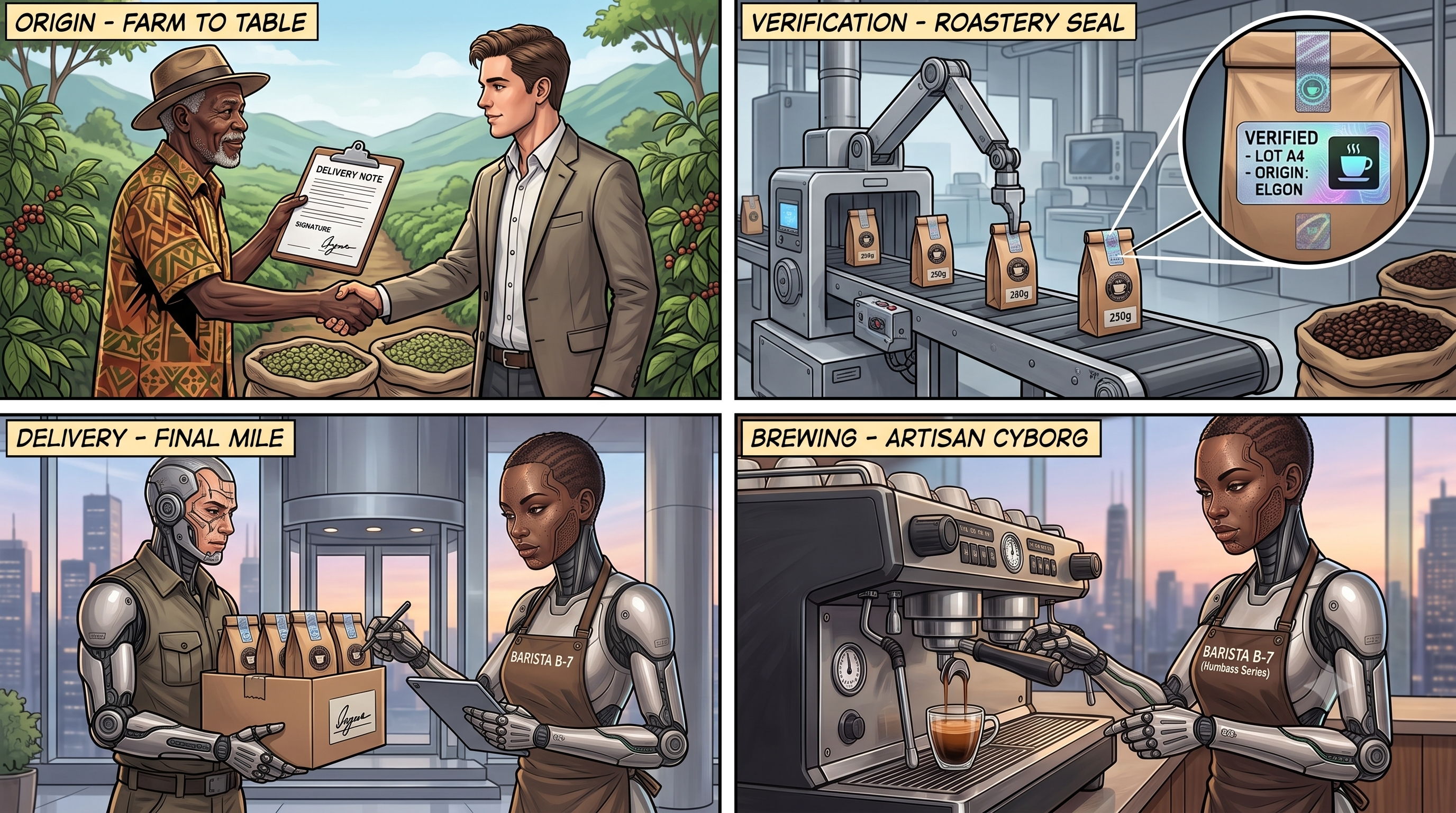
If your Java-based Docker image ends up being poisoned by a zero-day vulnerability, a worm, or a malicious dependency, you want to be able to go back and check all those documents, and find out exactly where it went wrong. You want to know which base image or which build stage introduced the problem. And you want to know that the SBOM you received is authentic and hasn't been tampered with.
The Terms on the Table
Before we brew anything, a few definitions.
- Zero-day. A vulnerability that is exploited before there's a fix—the vendor has had "zero days" to patch it. It may already have a CVE identifier, or be known privately, but there's no patch available when it's used against you. You can't reliably scan for something nobody has published a fix or signature for yet, so the best defense is reducing the blast radius before the exploit lands.
- SBOM (Software Bill of Materials). An inventory of the components a scanner can detect in your software: your application JAR, its Maven/Gradle dependencies, the JRE, the OS packages in the base layer. Exactly what shows up depends on the scanner and how the artifact is packaged. It's the receipt for the coffee.
- in-toto. An open standard (a CNCF graduated project) for describing supply-chain metadata—who did what to which artifact, and in what order. Its core unit is the attestation, which wraps a predicate (the actual claim, such as an SBOM or a build-provenance record) and binds it to a subject (the artifact the claim is about). When you hear "in-toto statement," think: a standard envelope that says "here is a claim, and here is the exact artifact it describes."
- SBOM attestation. An SBOM wrapped as an in-toto statement, with the SBOM as its predicate. BuildKit generates one during the build and embeds it inside the image, in its own manifest within the image index. It isn't a sidecar file—it's part of the image's content, addressed by the same digest. That has a neat consequence: when you sign the image digest, you sign the embedded SBOM along with it.
- Multi-stage Dockerfile. A Dockerfile with several
FROMstages, where early stages compile the code and a final, minimal stage ships only the runtime artifact. It's how you build a Java app in a fat JDK image but ship it in a lean JRE (orscratch) image.
That last one is where the trouble starts.
The Problem With Multi-Stage Java Builds
Here is the multi-stage Dockerfile that docker init generates for a Spring Boot project—dependency resolution, compilation, layer extraction, and a slim runtime image:
# syntax=docker/dockerfile:1

# Stage 1: resolve and download dependencies
FROM eclipse-temurin:26-jdk-jammy AS deps
WORKDIR /build
COPY --chmod=0755 mvnw mvnw
COPY .mvn/ .mvn/
RUN --mount=type=bind,source=pom.xml,target=pom.xml \
    --mount=type=cache,target=/root/.m2 ./mvnw dependency:go-offline -DskipTests

# Stage 2: build the application
FROM deps AS package
WORKDIR /build
COPY ./src src/
RUN --mount=type=bind,source=pom.xml,target=pom.xml \
    --mount=type=cache,target=/root/.m2 ./mvnw package -DskipTests

# Stage 3: minimal runtime image
FROM eclipse-temurin:26-jre-jammy AS final
COPY --from=package /build/target/app.jar app.jar
ENTRYPOINT [ "java", "-jar", "app.jar" ]
This is a good Dockerfile. It's also a problem for your SBOM.
When you scan the final image after it's built—with Docker Scout, Trivy, or Syft—the tool can only see what's in that image: the JRE base layer and your app.jar. It never sees the JDK, the compiler, or the build environment from the earlier stages. Those stages were thrown away. The coffee arrived, but half the customs stamps are missing.
You can watch this happen. Build the image and scan it:
docker build -t hello-java:latest .
docker scout sbom hello-java:latest --format list
The list covers the runtime image. Now imagine a build tool in stage one had a critical CVE. It compiled your code, maybe touched your artifact, and then vanished with the discarded stage. Your final SBOM looks perfectly clean—and that clean bill of health is exactly the blind spot.
Tip of the day. Many of the CVEs you'll be alerted about don't originate in the JAR you wrote—they come from the base images and the tooling underneath it.
This is not a theory. Let's check the popular base images for Java:
docker scout cves eclipse-temurin:26-jdk-jammy
docker scout cves eclipse-temurin:26-jre-jammy
The JDK image—the one your build stage runs in—carries a larger attack surface than the runtime you ship. When I ran this in July 2026, the JDK image reported 34 vulnerabilities and the JRE image 26.
There are two points to consider:
- The base images come with their own CVEs. So, with zero lines of Java code, you already inherit some vulnerabilities.
- The build-stage dependencies can introduce additional vulnerabilities. Even if your final image is slim, the build process itself can be a source of risk. Compromised build tools can bake a backdoor into your application.
Tip of the day. Use Docker Hardened Images to reduce the attack surface of your base images.
The cure for a heavy base image is a lighter one. Swap in the Docker Hardened Image equivalents and re-scan to compare:
docker scout cves dhi.io/eclipse-temurin:26-jdk-alpine-dev
docker scout cves dhi.io/eclipse-temurin:26-alpine
Hardened Images aim for a near-zero CVE count, not a guaranteed zero. The point is the dramatic reduction, not a permanent clean bill of health.
The Docker Hardened Images are open-source and free to use.
BuildKit SBOM Attestations: Documenting Every Turn
We saw that SBOMs generated after the Docker image is built, are blind to the earlier stages of a Docker build.
The fix is to have BuildKit generate the SBOM as part of the build, so it can observe the earlier stages while they still exist. This is what --sbom=true does:
docker buildx build --sbom=true -t hello-java:with-sbom .
But there's a catch. By default, BuildKit only scans the final stage. Scan the result, and you'll see it politely report that it found the attestation, but with the same blind spot as before:
docker scout cves hello-java:with-sbom
# SBOM obtained from attestation, ... packages found (final stage only)
To make BuildKit scan the earlier stages too, you set the BUILDKIT_SBOM_SCAN_STAGE build argument. There are three ways to say which stages get scanned:
- Declare it once as a global
ARGbefore the firstFROM, and it applies to every stage. - Name the stages you want:
BUILDKIT_SBOM_SCAN_STAGE=deps,package. - Add it inside each stage separately.
I'll use the last form here because it's the most explicit—you can see at a glance which stages land in the SBOM:
# syntax=docker/dockerfile:1

# Stage 1: resolve and download dependencies
FROM eclipse-temurin:26-jdk-jammy AS deps
ARG BUILDKIT_SBOM_SCAN_STAGE=true
WORKDIR /build
# ...

# Stage 2: build the application
FROM deps AS package
ARG BUILDKIT_SBOM_SCAN_STAGE=true
WORKDIR /build
# ...

# Stage 3: minimal runtime image (scanned by default)
FROM eclipse-temurin:26-jre-jammy AS final
COPY --from=package /build/target/app.jar app.jar
ENTRYPOINT [ "java", "-jar", "app.jar" ]
The final stage doesn't need the argument—BuildKit scans it by default. It's the earlier, discarded stages that you have to opt in.
Now rebuild with scanning enabled:
docker buildx build --sbom=true -t hello-java:full-sbom .
docker scout cves hello-java:full-sbom
Now the SBOM covers the build stages too, and it was recorded at build time rather than bolted on afterward.
There's a limit worth knowing, though. BUILDKIT_SBOM_SCAN_STAGE scans a stage's filesystem, not its cache mounts. In our Dockerfile, Maven downloads its dependencies into --mount=type=cache,target=/root/.m2—temporary storage that isn't part of the stage's real filesystem. So the scanner doesn't list every JAR under .m2. What it does capture is the OS packages of each build stage (the JDK layer, for example) plus the application dependencies that end up baked into the fat JAR in /build/target.
So, the generated SBOM depends on how your Dockerfile looks. The way to check is to write the image out to disk and look. Add --output type=local,dest=out, and BuildKit unpacks the whole image into out/—the full filesystem (app.jar, bin, etc, usr, and so on), with the SBOM files sitting alongside it. That's the key thing to understand: the SBOM isn't a separate download, it's part of the image, so exporting the image gives you the SBOM for free. You get one SPDX JSON file per scanned stage. The final stage becomes out/sbom.spdx.json, and every earlier stage gets a file named after it, out/sbom-$STAGE.spdx.json:
out/sbom.spdx.json          # final stage
out/sbom-deps.spdx.json     # stage 1: dependency resolution
out/sbom-package.spdx.json  # stage 2: application build
Tip of the day. Add
ARG BUILDKIT_SBOM_SCAN_STAGE=trueto every earlier stage you want in the SBOM—it only enables scanning for the current stage. Or add it at the beginning to include everything.
Cosign and OCI Referrers: Signing the Documents
Remember the woman's question at the café: What if one of those documents was forged? Here's the reassuring part. The SBOM BuildKit produced is embedded inside the image, addressed by the same digest as everything else. So the moment you sign the image digest with Cosign, you've signed the SBOM too—tamper with either and the digest no longer matches the signature. That already answers the forgery question.
So why do more? Because an SBOM buried inside the image index is awkward to find. A consumer has to know it's there and go digging through manifests for it. It's far more useful to also publish each SBOM as an OCI referrer—a way to attach an artifact (an SBOM, a signature, a VEX statement) to an image so that it points back at the image via a subject field, and any tool can list everything attached with a single query.
OCI referrers are an emerging standard, added to the Open Container Initiative distribution spec in version 1.1, and support is growing across registries and tools. The reason it matters is unification. Until recently every tool did its own thing: BuildKit embedded attestations one way, Cosign attached signatures another, provenance and VEX statements had their own conventions. Referrers give all of them one shape and one discovery mechanism—ask a registry "what refers to this image?" and get back SBOMs, signatures, provenance, and VEX side by side. Cosign's attest speaks this language: it wraps the SPDX document in a signed envelope and links it to the image as its own referrer. No Docker-specific side channel, no separate storage. The documents live next to the coffee, in plain sight.
So, let's sign things. First, generate a signing key pair:
cosign generate-key-pair
To publish the SBOMs as referrers, Cosign needs the SPDX files on disk to hand to --predicate. And here's the thing to get right: sign what you actually shipped. If you push the image in one build and then run a second build to export the SBOMs, the two aren't guaranteed to describe identical artifacts. So do both in a single build. Buildx accepts multiple --output targets—push the image and write it to disk (SBOMs included) at once—and --metadata-file records the resulting digest for you:
export DOCKER_USERNAME=your-docker-hub-username
export IMAGE=$DOCKER_USERNAME/hello-java

docker buildx build \
  --tag $IMAGE:latest \
  --sbom=true \
  --output type=registry \
  --output type=local,dest=out \
  --metadata-file metadata.json \
  .
Always sign the digest, never a mutable tag. Read the digest straight from the metadata file BuildKit just wrote—it's more reliable than docker inspect, since a registry-only push may not touch your local image store:
export IMAGE_DIGEST="$IMAGE@$(jq -r '."containerimage.digest"' metadata.json)"
Sign the image. Since the BuildKit SBOM lives inside the image, this signature already covers it:
cosign sign --key cosign.key $IMAGE_DIGEST
That's the baseline trust. Now publish the SBOMs as referrers so consumers can find them without digging through the image index. The out/ directory holds one SPDX file per stage; loop over them and attest each as its own discoverable OCI referrer:
for sbom in out/sbom*.spdx.json; do
  cosign attest --key cosign.key \
    --type spdxjson \
    --predicate "$sbom" \
    $IMAGE_DIGEST
done
If you want a smaller example, attest just out/sbom-package.spdx.json, the compilation stage's inventory—just remember that then only that one stage is discoverable as a referrer.
Now verify. Two commands do two different jobs: cosign verify checks the image signature (and with it, the embedded SBOM), and cosign verify-attestation checks a signed SBOM referrer. You want both:
cosign verify --key cosign.pub $IMAGE_DIGEST

cosign verify-attestation \
  --key cosign.pub \
  --type spdxjson \
  $IMAGE_DIGEST
Finally, confirm the referrers landed in the registry:
oras discover $IMAGE_DIGEST
You'll see one referrer for the image signature plus one for each SBOM attestation you signed, all linked to your Java image as standard OCI referrers. A consumer can now pull the image, discover its SBOMs, and verify—cryptographically—that they were produced by your key and haven't been altered since.
Tip of the day. Signing the image digest already signs the SBOM inside it. Publish the SBOMs as referrers too so consumers can find them, pin to the digest from the build metadata, and verify both the signature and the attestation.
Sign Every Turn—Including the Agent's
Back at the café, the man finally sets his macchiato down, still untouched, and slides it aside.
The point was never the coffee. It was that a supply chain is only as trustworthy as its weakest undocumented step. For a Java image, we've pushed that boundary a long way out: BuildKit records an SBOM inside the image at build time, BUILDKIT_SBOM_SCAN_STAGE extends it to the earlier stages, signing the image digest covers that SBOM, and Cosign also publishes each one as an OCI referrer anyone can discover and verify. That's not the whole supply chain—only what these commands can prove—but it's far more than a scan of the final layer.
But in 2026, the barista isn't always human. More and more of our code—and our Dockerfiles, and our build scripts—is written by AI coding agents. That adds a turn to the supply chain that most teams still don't document at all.
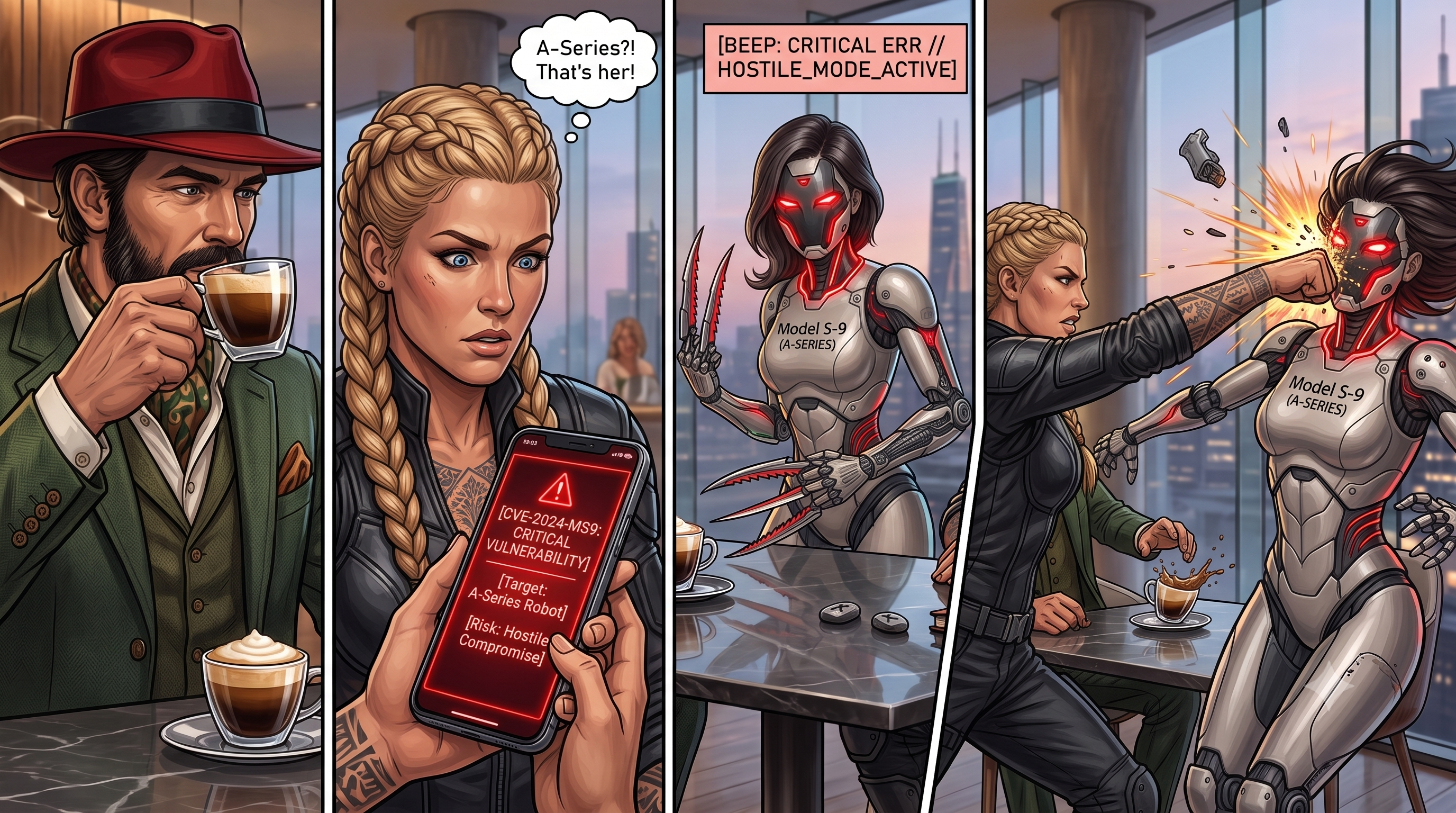
So it's more important than ever to verify every step—including the ones the agent takes. It's the same signing discipline, just moved one step earlier in the pipeline: have each agent commit under its own identity and sign those commits, so you can verify who—or what—wrote each line. In practice that's git commit -S with a per-agent key, or Sigstore's gitsign for keyless signatures.
Because if your AI coding agent goes rogue—hijacked by a poisoned dependency, a prompt injection, or a context-window attack—you want a signed, tamper-evident record of everything it did, so you can go back and find exactly where it went wrong.
Otherwise, your espresso macchiato was poisoned, and the attacker is long gone.
Mohammad-Ali A'râbi is a Docker Captain and author of "Docker and Kubernetes Security." For the full hands-on version of this pipeline—SBOM attestations, hardened images, VEX, and Cosign—see the Black Forest Commandos workshop.
This post will be published on JAVAPRO in September 2026.
Characters in this entry

Rothütle
The Black Forest scholar and technical specialist who turns strange security concepts into battlefield solutions.

The Valkyrie
The ancient warrior who turns the Black Forest Commandos' security strategy into checkpoints, access control, and frontline defense.

S-9
An A-Series service android whose hostile compromise turns a high-rise café into a software supply-chain incident.